Writeup - Overheard at Breakfast
Published on
Platform: TryHackMe
Category: OSINT
Difficulty: Easy
Disclaimer
I’m writing these writeups as I go through the challenge, which explains why some of the stuff is not relevant at the end. I try to document my thought process as much as I can to explain how I went through the challenge.
Context
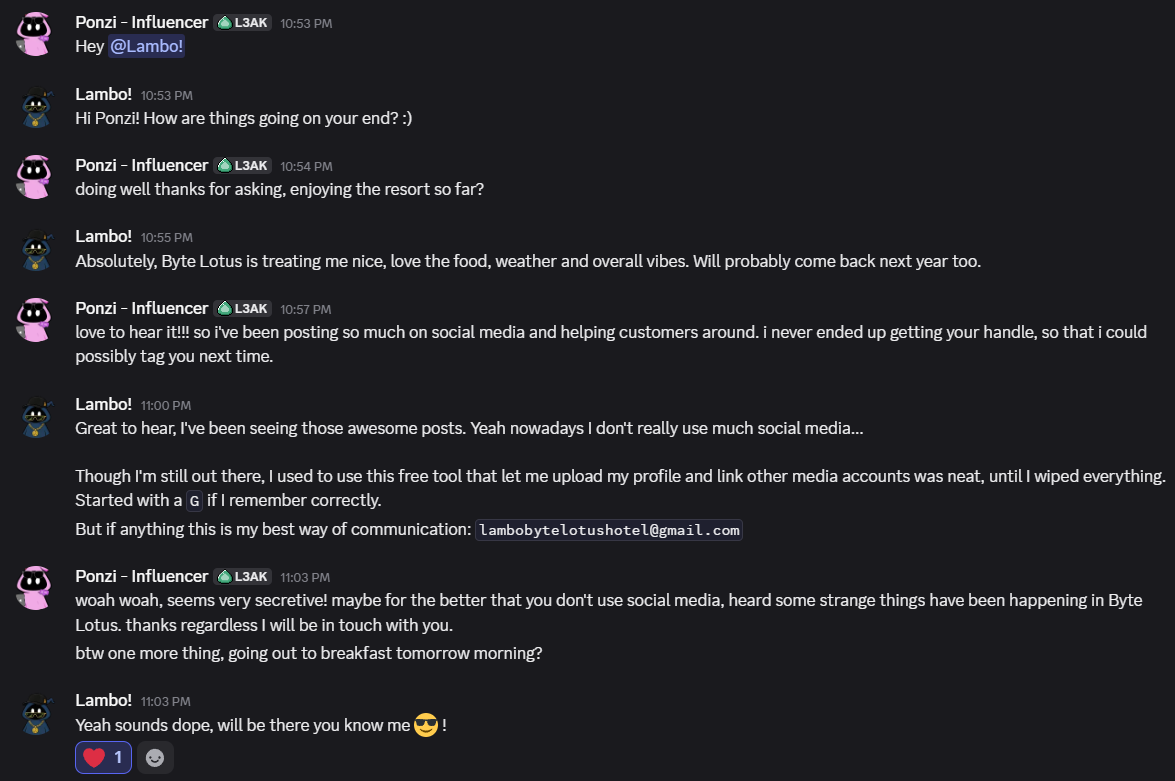
Spied on someone’s laptop in a hotel, read a conversation about some lost account on some social media platform that also links to other platforms. They lost access to the account. In the conversation they gave their email address:
Walkthrough
The challenge itself provides the following steps to go through:
Analyze the provided conversation for identifying details
- The person who owns the laptop uses the nickname Lambo! on (what seems to be) Discord, and they’re talking to Ponzi - Influencer
- Ponzi’s email address that they provided is [email protected]
- The company for which they work, that paid for their stay at the hotel based on the conversation, is Byte Lotus
Extract the relevant clues
- The above identifying details
- The app they said that links their old social media accounts has a name that starts with a ‘G’
Locate the hidden account
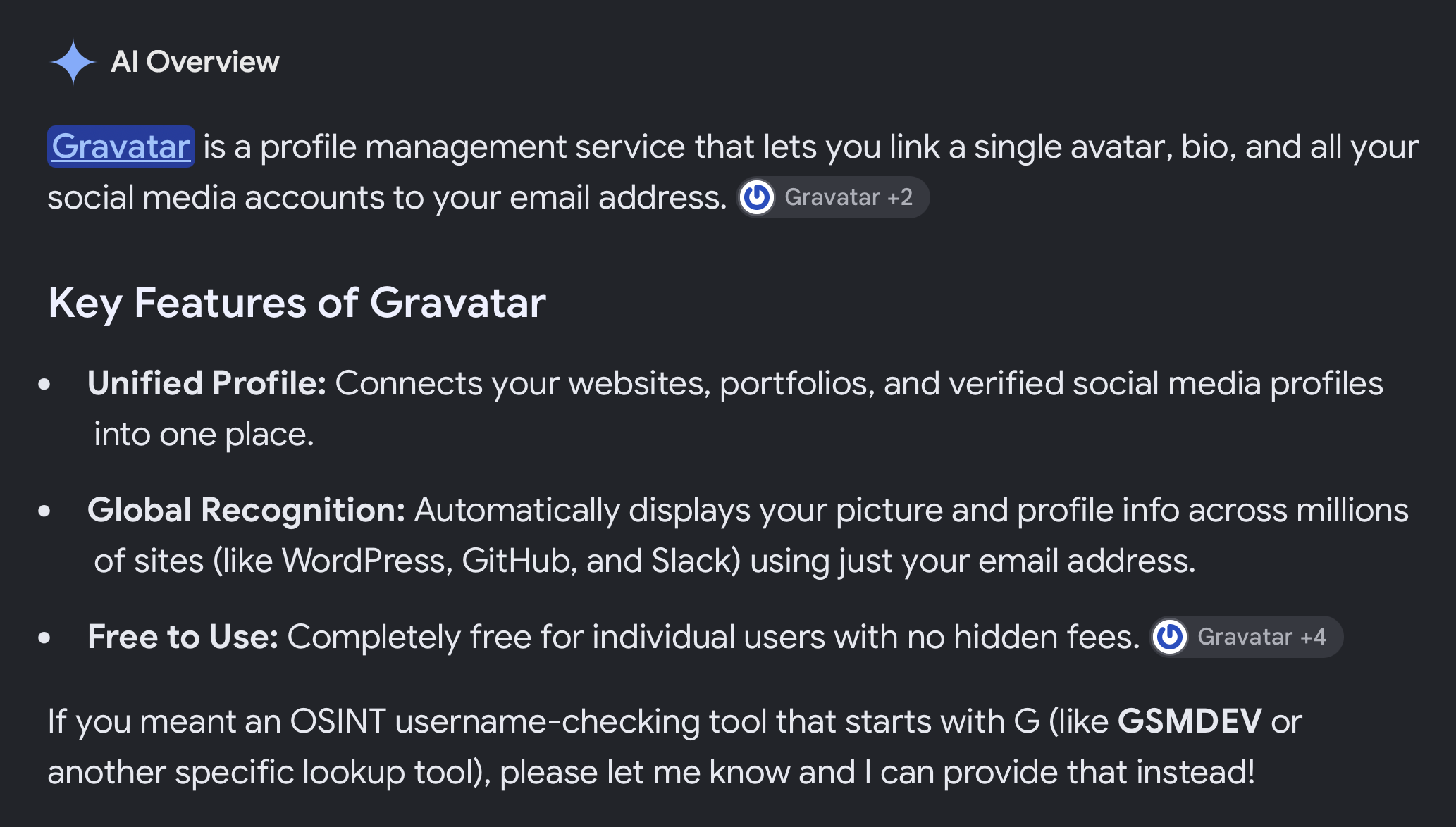
- After Googling “tool one profile all social media accounts starts with G”, turns out they were referencing Gravatar, a tool that centralizes your online presence by providing you with a profile that connects to all your other social media accounts. When you update your Gravatar profile with info or your picture for e.g., it updates the other accounts as well.
- Instructions on the machine after booting indicate that tools are in ~/Desktop/Tools
- There is a folder called recon-ng
- The
README.mdfile says that the tool is for web OSINT and provides the tool’s wiki link - The wiki provides instructions on how to build and use the tool.
- Tool seems to be buggy and have issues on the machine. I watched the video to see if there were any instructions I was missing. Turns out I went on a wild goose chase: the approach the video underlines is to figure out how Gravatar works and how we can retrieve a profile using the email address.
- I went and created an account on Gravatar myself to get familiar with the platform. Gravatar generates a code to create a URL to my profile in the style of
/supernaturally1e215cf890(not the actual one). The video mentions a generated md5 hash, and the logic is that you would hash the email to retrieve the md5 that maps to the profile, but as seen above, Gravatar uses a random word from the dictionary in plaintext and appends an md5. Curious to see how this is approached. - It actually isn’t approached at all: the video really only generates the md5 using the
md5sumcommand and appends the generated 32 chars hash to the Gravatar URL to get the profile. I did the same:echo -n "[email protected]" | md5sumand got the hash d4a5fc5d3128890778667e24617d7cc0. Going to https://gravatar.com/d4a5fc5d3128890778667e24617d7cc0 still worked, as it redirects to https://gravatar.com/cheerfullysongf28e3c3716, which maps to Lambo’s profile.
Submit the flag
- The profile has the string VEhNe1MzY3JlVF9QcjBmaWwzX0g0c19iMzNuX0lkZW50MWZpM2R9
echo "VEhNe1MzY3JlVF9QcjBmaWwzX0g0c19iMzNuX0lkZW50MWZpM2R9" | base64 -dto get the plaintext
Conclusions
- I’m still a little confused on how I was supposed to solve this challenge without having knowledge of how Gravatar works. Obviously I needed to do research to figure it out, but even looking at how profiles work on Gravatar did not provide me with any hint on the generated md5 hash (when I was still trying to approach the challenge using the
recon-ngtool. Is this approach of having an md5 hash mapped to different (more readable) values something that’s widely used? - Went through the API documentation to find out that they do use a hash of the email addresses to map to profiles, except it’s SHA256 and not md5.
- They were using md5 at some point: link to news about past breach
- Turns out they switched to SHA256 but still support md5 for backwards compatibility.